Overview
Talk to the E8 Markets Terminal using your favorite AI assistant. Ask questions about markets, generate charts, get news — all in natural language.
What you can do
- Check prices — "What's the current price of BTCUSD?"
- Generate charts — "Show me a 7-day chart for EURUSD"
- Place orders — "Buy 0.1 lots of EURUSD at market"
- Manage positions — "Show me my open positions and close BTCUSD"
- Track your account — "What's my account balance and P&L?"
- Analyze order books — "Compare the order books of BTCUSD and ETHUSD"
- Get news — "What are today's top trading stories?"
- Run analytics — "Show me the main analytics dashboard"
- Build dashboards — "Suggest a monitoring dashboard for my watchlist"
Get started
Pick your AI client to set up in under 2 minutes:
Prerequisites
Before setting up any client you need an API key.
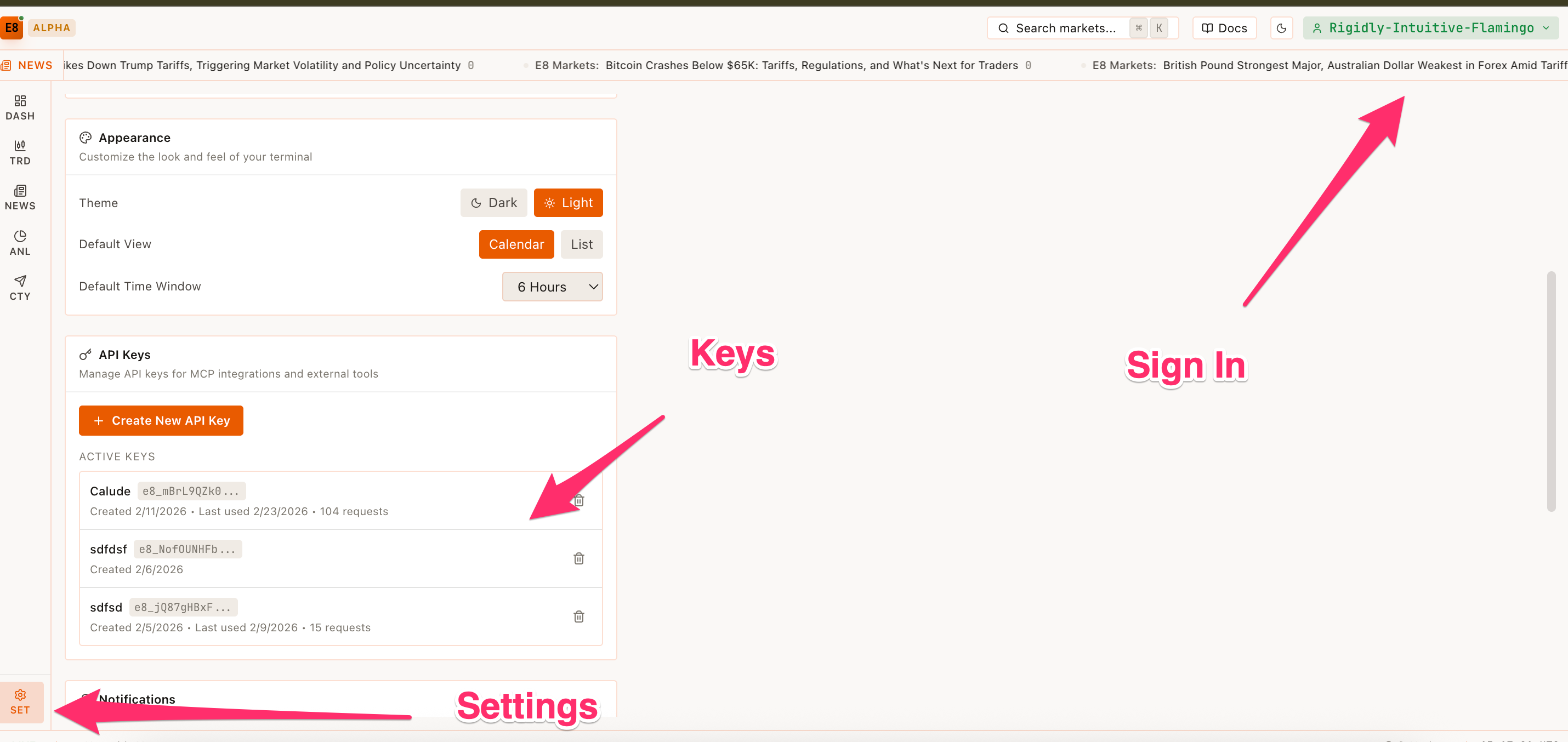
- Open the E8 Markets Terminal and go to Settings > API Keys.
- Connect your wallet if you haven't already.
- Click Create API Key and copy the generated key.
Warning
Store your API key securely. Do not share it or commit it to version control. Anyone with your key can access the MCP endpoint on your behalf.
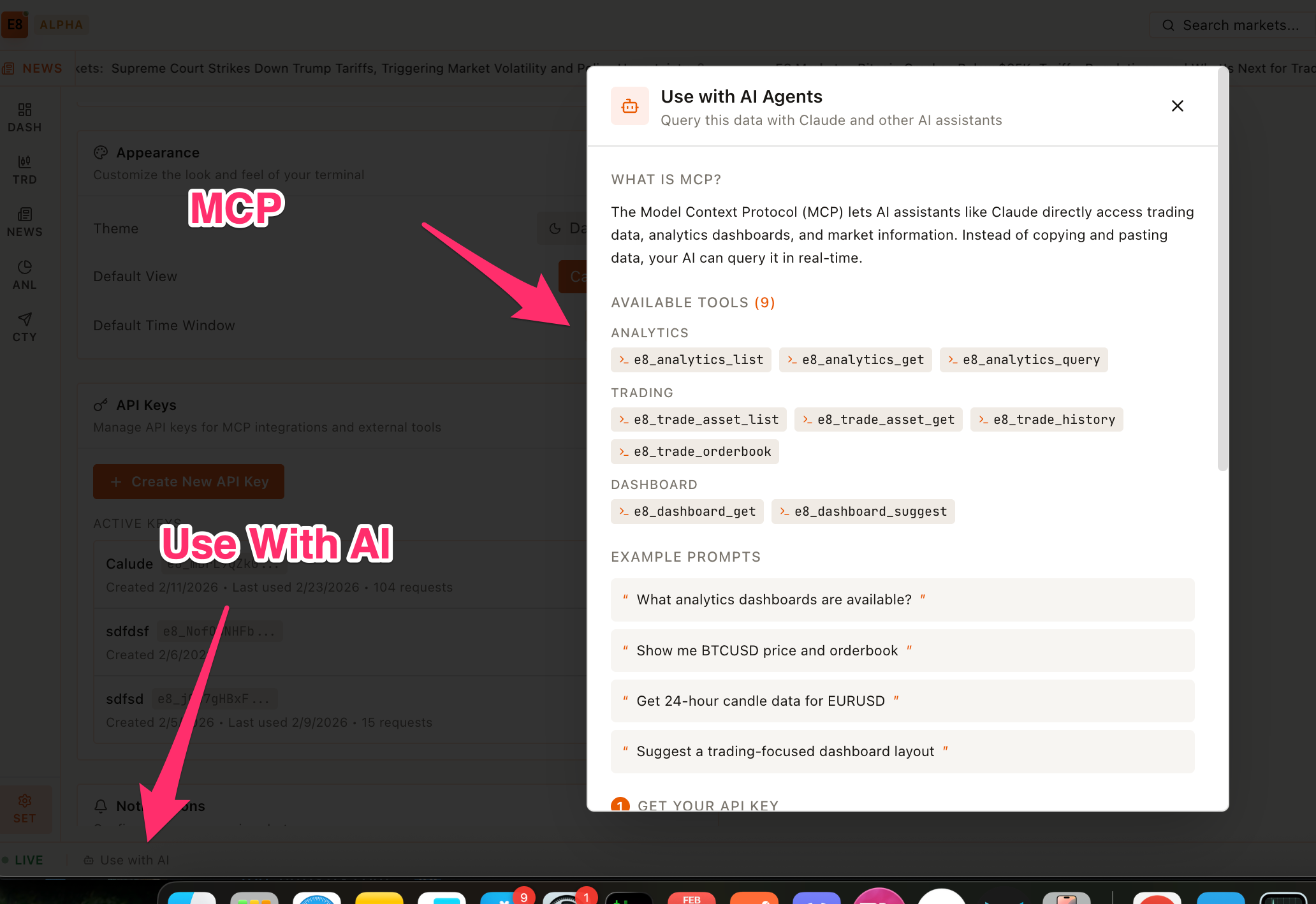
E8 Markets uses the Model Context Protocol (MCP) — an open standard that lets AI assistants connect to external tools and data sources. Your AI client talks to the E8 MCP endpoint and the terminal handles the rest.