Overview
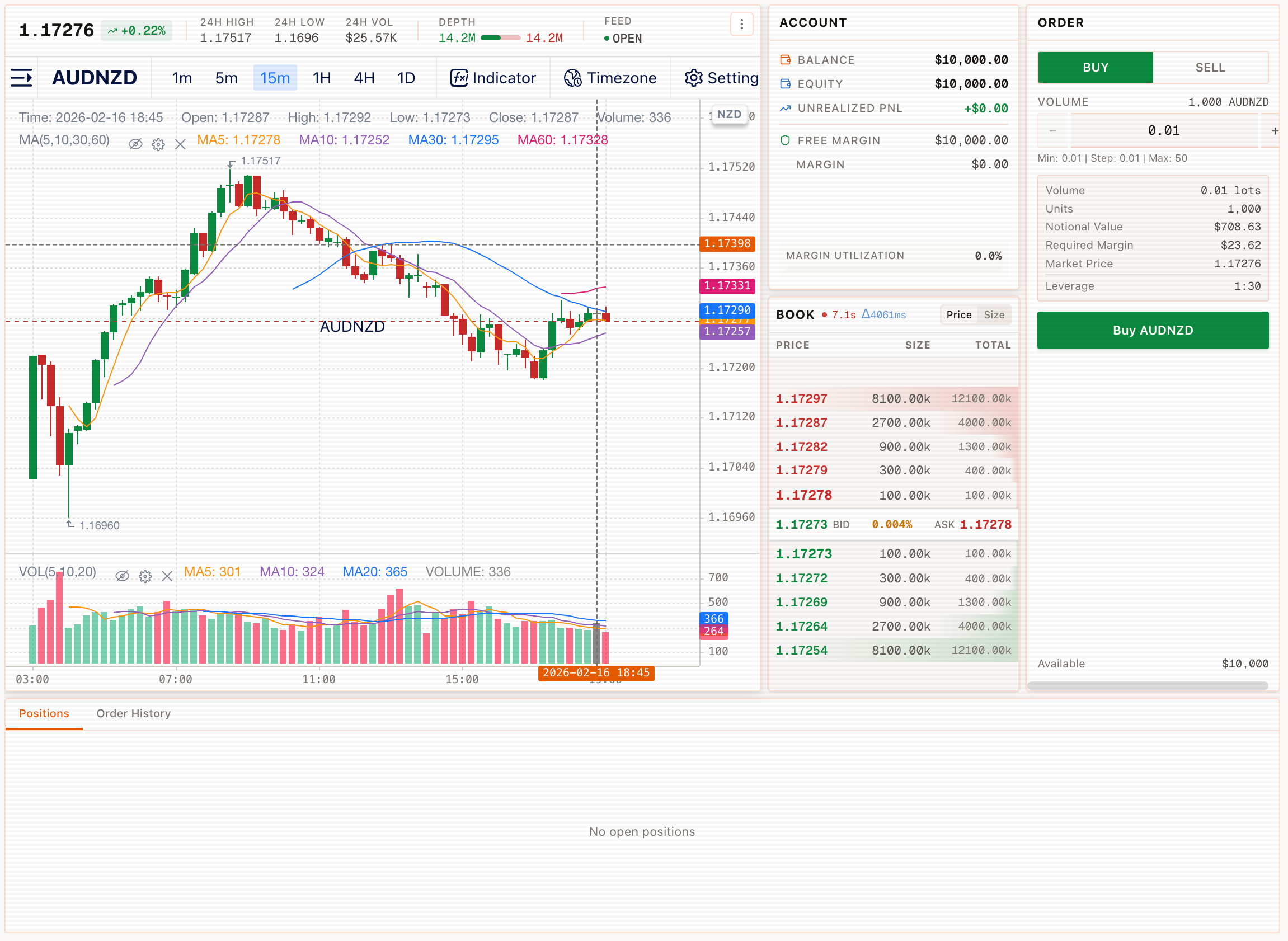
The Trade module is the main workspace for charting a symbol and placing orders from the same screen.
On the Trade screen you can see widgets labeled ACCOUNT, BOOK, and ORDER alongside the chart.
Key areas
- Market header: shows the active symbol (e.g., AUDNZD) and a price/change line
- Chart: timeframe buttons (1m–1D) and chart tools (Indicator, Timezone, Setting, Full Screen)
- ACCOUNT widget: displays sign-in status (for example, "Sign in to view account info")
- BOOK widget: displays a ladder with PRICE, SIZE, and TOTAL
- ORDER widget: contains BUY/SELL controls plus volume and margin-related fields
Bottom tabs
The ORDER area exposes tabs for Positions and Order History.