Overview
The My Dash module is the personal dashboard of the E8 Markets Terminal, labeled "DASH" with shortcut G H in the main navigation.
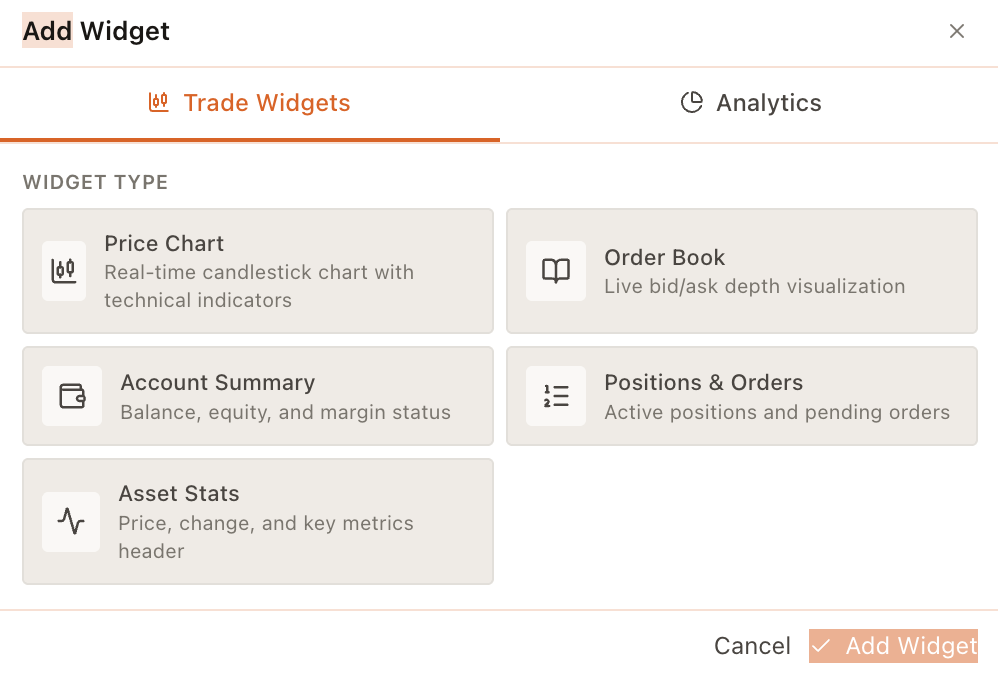
It is presented as a "PERSONAL DASHBOARD" where you can create and customize your own trading workspace with widgets.
Access
- Click "My Dash" in the left navigation.
- Or use the G H keyboard shortcut shown in the navigation bar.
Signed-out state
When you are not signed in, the dashboard shows a call-to-action titled "Sign In to Access Your Dashboard".
A "Sign In with E8" button is displayed to authenticate and unlock your personal dashboard.
Signed-in capabilities
Once signed in, you can create and customize your personal trading dashboard with widgets (as stated in the page copy).
Widgets can be arranged to surface the most relevant trading information for your workflow.