News
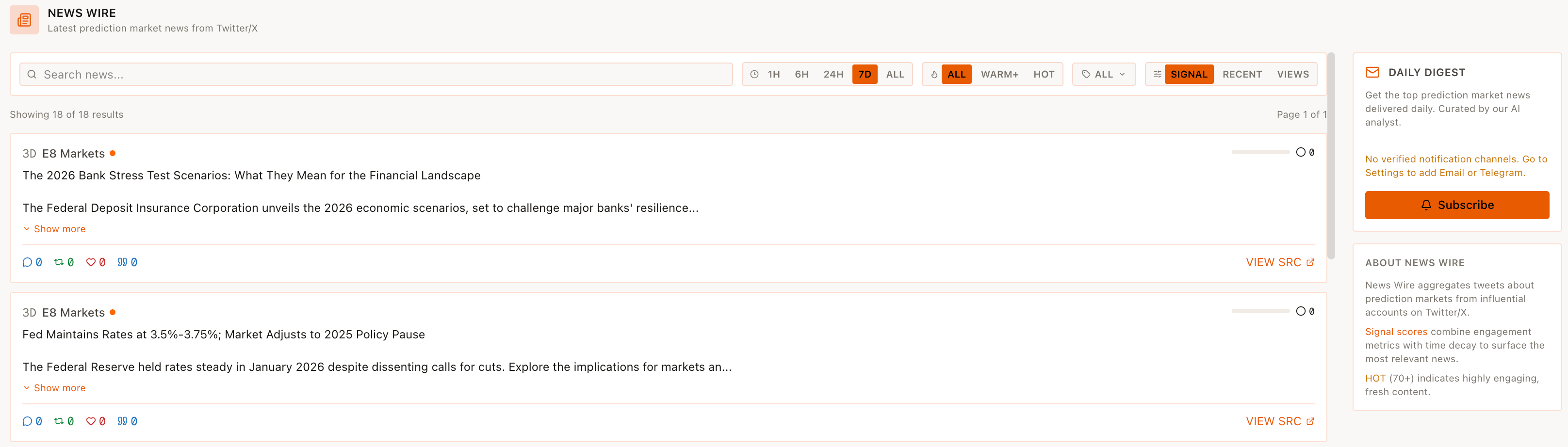
The News module is labeled "NEWS" with shortcut G N in the main navigation and is presented as "NEWS WIRE" on the page.
It aggregates the latest prediction market and macro news from E8 Markets' content feed.
Access
- Click "News" in the left navigation.
- Or use the G N keyboard shortcut.
News Wire header
The page title "NEWS WIRE" is accompanied by the subtitle "Latest prediction market news from Twitter/X".
A search input labeled "Search news..." allows filtering of articles.
Time range filters
A time range and signal filter bar lets you refine which news items are shown:
- Time windows: 1H, 6H, 24H, 7D, ALL
- Intensity filters: ALL, WARM+, HOT
- Sorting modes: ALL, SIGNAL, RECENT, VIEWS
The UI shows a status line such as "Showing 18 of 18 results — Page 1 of 1".
News items
Each news item row includes:
- Relative time (e.g., 3D, 5D, 6D)
- Source (E8 Markets)
- Signal score (numeric value displayed near the source)
- Headline text
- Short description or excerpt with a "Show more" truncation
- Zero or more engagement counters (displayed as 0 in the current view)
- A "VIEW SRC" link pointing to the full blog article on
blog.e8markets.com.
Daily Digest
The "DAILY DIGEST" section lets users subscribe for an email summary:
- Description: "Get the top prediction market news delivered daily to your inbox."
- Requires signing in with your wallet to subscribe.
About News Wire
The "ABOUT NEWS WIRE" section explains the ranking logic:
- News Wire aggregates tweets about prediction markets from influential accounts on Twitter/X.
- Signal scores combine engagement metrics with time decay.
- HOT (70+) is used to mark highly engaging, fresh content.